TVTH • Communications playbook

TSMT® online presence — the starter kit

A practical guide for TVTH members to run Facebook and Google Business Profile in a credible, legally compliant way that leverages the brand. Bespire stands by you so you can actually do it with 2–4 hours a week.

Facebook steps
16
Google steps
5
weekly on marketing
2–4h

Based on the official material of the TSMT® Model team. As a TVTH member you are entitled to use the TSMT® and LongiKid® brand names and logos.

Golden rules

The most important frames before you post anything

These rules run through the entire playbook. If you just remember these, you already own 80% of credibility.

That famous ®

TSMT® and LongiKid® are trademark-protected. As a TVTH member — with your membership fee — you may use the name, the logo and the brand value. Nationally known brand with wide central reach, which you can leverage for your own practice.

TSMT® and LongiKid® — always with ®.
Official logos

On images and infographics use only the official TSMT® and LongiKid® logo. The new LongiKid® logo will be rolled out in the summer of 2026 — by late autumn 2026 everything will be swapped, and you will be asked to update too. You may freely use your own logo alongside the official ones.

Own logo freely, TSMT®/LongiKid® only the official version.

Why does this matter? If you don't use the official logo…

  • Parents will think this is a «shady» business — you lose trust.
  • You miss out on the established, recognized logo building credibility for you.
  • The perception of professionalism drops — which is a baseline expectation today.
  • If we notice it, we'll ask you to fix it — an extra loop that can be avoided.

Bespire

How can Bespire help?

Bespire helps you build a consistent, professional online presence so your credibility and brand value are preserved across every surface.

Download official logo

Sensitive topic

Children in videos

A very sensitive topic — but with clear frames you can post confidently. The worst that can happen: you're asked to modify. So go for it!

Recommended closing sentence for the description (if a child appears in the recording):
The exercises shown in the video serve exclusively illustrative and educational purposes and do not replace individual examination or professional advice. The legal representatives of the children shown in the recording have given prior written consent to the recording of their image and voice and to publishing the video for communication purposes. Copying and further use of the recording without permission is prohibited.

Do

  • Always get written parental consent for recording and publishing the child's image.
  • If there's no consent, the child must not be recognisable (from behind, face covered, drawing or illustration).
  • Show realistic exercises that can be done at home too — the parent should believe they can do it too.
  • Show only parts of a LongiKid® assessment, focused on the «why» — building the parent's sense of safety.

Don't

  • Record a full LongiKid® assessment from start to finish.
  • Photograph LongiKid® base sheets — only snapshots without the data sheet.
  • Post the TSMT® drawn task series — showing a few tasks is fine.
  • Post a parent or child without their consent.
  • Head-down exercises or exercises with extreme vestibular stimuli.
  • LongiKid® assessment opinions with personal data or identifiable symptoms.

Further suggestions

TSMT® equipment tasks

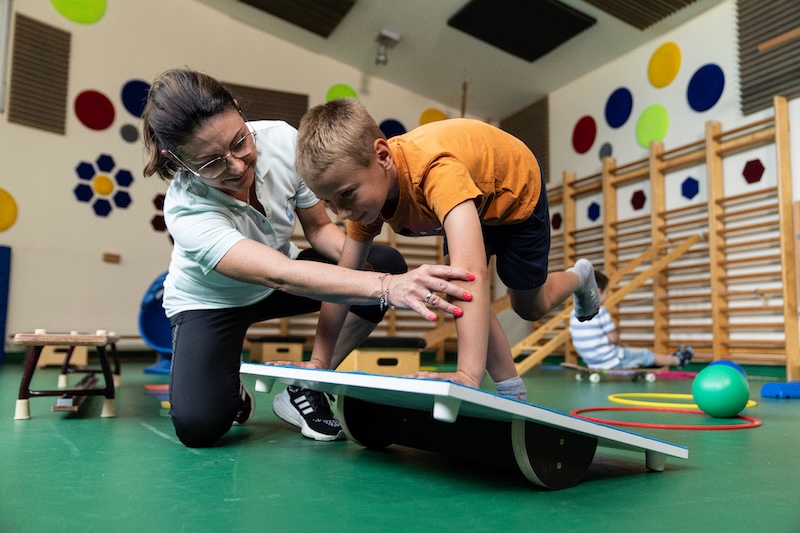
You can freely show a balance-board or big-ball exercise — respecting the restrictions above, always with proper explanation.

LongiKid® opinions

Only without personal data and with wording from which the subject cannot be inferred. Don't state the exact date and avoid narrow symptom clusters — in a small community the child can still be recognised.

What to do with a critical comment?

If you get a critical comment and it does NOT come from a TVTH therapist or TSMT® trainer, handle it yourself. If per the above guidelines the video turned out debatable, you can flag it to the central team at szakmai.vezeto@tsmtmodell.hu.

Bespire

How can Bespire help?

Bespire helps you keep child protection and legal guidelines in mind, so your content can be created safely and appropriately.

Facebook

Professional practice page — in 16 steps

The guide is for TSMT® therapists who want a credible, trust-building, legally compliant presence. The goal isn't to be perfect on day one — it's to start.

Page name

Facebook → Menu → Pages → Create new page. Name = your name + TSMT® + location. Everything else goes into the description.

Recommended

  • Anna Kovács TSMT® therapist
  • Anna Kovács – Certified TSMT® therapist
  • TSMT® Development – Győr – Anna Kovács

Avoid

  • Best TSMT®
  • ADHD Healer
  • Guaranteed development

A cover photo that tells everything in 3 seconds

What you do • who you help • how to book. A good example:

TSMT® therapist

Infant and child development

Assessment • Therapy • Parent consultation

📍 Budapest XVII.

Post mix — the rule of thumb

  • 40%

    Education

    What is TSMT®? What is it good for? When should you get assessed?

  • 30%

    Trust-building

    Gym, your own work, parent testimonials (very effective).

  • 20%

    Community

    Events, workshops, talks.

  • 10%

    Service

    Assessment, applying, appointments.

  1. 01

    Why not use your personal profile?

    Personal profile and professional activity are two different things. On a professional page:

    • Professional appearance
    • Searchable on Google
    • Ads can be run
    • Statistics are available
    • Multiple admins can manage it
    • No need to friend your followers
    • Complies with Meta's recommendations
  2. 02

    Create the page

    Facebook → Menu → Pages → Create new page. Name = your name + TSMT® + location. Concrete suggestions and names to avoid are in the «Page name» block above.

  3. 03

    Profile photo

    Always good quality. Preferably smiling, natural, light background, professional attire.

    • Don't use a selfie
    • Don't use a holiday photo
    • Don't use a family photo
    • Don't use a photo with children
  4. 04

    Cover photo

    In 3 seconds it tells: what you do, who you help, how to book. Concrete example in the «Cover photo» block above.

  5. 05

    About / Intro

    Keep it short. Be creative — this is where you show your own voice; you can even use common questions. Make it personal, not generic.

    Avoid (AI-generated, generic):

    I'm a TSMT® therapist. I support the motor, attention and neurological development of young children. My goal is that families get help and professional support on time.

    Much better (personal, with a question):

    «Why isn't he talking yet? The other kids are already running, why isn't he?» I help parents with questions like these.

  6. 06

    Contact details

    Always fill them in, otherwise people can't find you and the previous 5 points go to waste :)

    • Phone number
    • Email
    • Website
    • Address
    • Messenger

    The more contact options, the higher the trust.

  7. 07

    Set up the button

    Recommended buttons to choose from:

    • Contact
    • Book appointment
    • Send message — if you pick this, set office hours so you protect your privacy and don't burn out.
  8. 08

    What to post?

    Rule of thumb — adjust freely: 40% education, 30% trust-building, 20% community, 10% service. Detailed breakdown below.

  9. 09

    Images

    Images give the first impression of a post — watch the quality.

    Use

    • Your own photos — no studio needed, in fact.
    • Infographics (we'll show how later).
    • Illustrations.
    • As a TVTH member, the official TSMT® and LongiKid® logo.

    Avoid

    • Too much stock photography — very impersonal.
    • Pixelated, poor quality images — this is baseline, not premium anymore.
  10. 10

    Videos (the scary one :D)

    Facebook currently favours videos — you can only leverage the above if you work on this.

    Recommended

    • 30–90 seconds long
    • A hook message at the start that grabs attention
    • Be spontaneous and human — it's OK to fumble a bit 🙂

    Topic ideas

    • Developmental play
    • Balance
    • Attention
    • School readiness
    • Sensory processing
    • LongiKid® assessment goals and results
    • Cases, stories
  11. 11

    Handling comments

    Always reply if you can — that's the point of the page. Ideally within 24 hours. What you must never do: diagnose or give opinions in a comment.

    Use this template response instead:

    «Thanks for the question! Every child is different, so responsible opinion isn't possible based on this much information. If you'd like, please reach out and we'll discuss the details.»

  12. 12

    What to avoid

    Never promise:

    …and similar things (obvious, but better to write it down :))

    • A guaranteed outcome
    • Guaranteed progress
    • Cure
    • «ADHD will just go away»
  13. 13

    Photos of children

    Always have written parental consent. Without it, the child must not be recognisable.

    Practical alternatives without consent

    • From behind
    • Face covered
    • Drawing or illustration
  14. 14

    Hashtags

    We don't know exactly how much they still work with the new algorithm — but they're like toilet paper… if you don't have any it can be a problem 🙂 Use these types:

    • TSMT
    • childdevelopment
    • schoolreadiness
    • sensoryprocessing
    • earlydevelopment
  15. 15

    Posting frequency

    The point is a continuous content habit — 2–4 hours of marketing weekly. The minimum to make progress:

    • 2–3 posts a week
    • 1 video a week
    • A daily Story (if you can) — it goes to Instagram as well
  16. 16

    Reused content

    You may reuse any content from the TSMT® Model page and add your own thoughts.

    If you save an image and post it as your own, always credit the source:

    facebook.com/tsmtmodell

Bespire × 16 steps

What Bespire takes off your plate

Features built on the playbook rules — so you don't just read it, you actually do it.

  • #06Contact details made easy

    Bespire helps keep your contact details consistent across every surface so parents can always reach you.

  • #07Book appointment button

    Wire your Bespire booking link to the Facebook «Book» button — parents get a slot in 3 clicks.

  • #08Post mix 40/30/20/10

    The AI assistant plans a schedule in this ratio for Facebook, Instagram and TikTok.

  • #11Comments within 24h

    The message center notifies you so you don't miss the 24-hour window — template replies ready. (Coming soon)

  • #09Images and infographics

    Create professional post images and infographics in minutes — no need to hire a designer.

  • #14Hashtag library

    TSMT® and LongiKid® specific hashtag bundles you can attach to a post with one click.

  • #15Story cross-posting

    One Story lands on Facebook and Instagram — no need to upload twice.

  • #10Video ideas and scripts

    The AI assistant suggests topics and short scripts for your 30–90 second videos, hook message included.

  • #08Content calendar

    See the next weeks' posts in one clear calendar — never run out of ideas, never post randomly.

  • #16Website and booking in one

    Parents coming from Facebook and Google land on a credible website where they can book right away — no separate system to run.

Google Maps

Google Business Profile — 5 steps

When parents and institutional experts search, Google is still first. If you're not there, you're invisible.

  1. 01

    Create a Google Business Profile

    Google Business Profile lets your practice show up in Google Search and Maps.

    1. Open business.google.com.
    2. Sign in with your Google account (Gmail). If you don't have one, create one first.
    3. Click «Add business».
    4. Enter the name — use your own name and professional title.
    5. Pick the best matching category for your activity.

    Name suggestions

    • Anna Kiss – TSMT® therapist
    • Anna Kiss – LongiKid® assessor

    Category examples

    • Development center
    • Healthcare provider
    • Occupational therapist
  2. 02

    Fill in the key details

    Exact address, phone, website (if any), opening hours. If you have a Bespire website, enter it — it gets SEO power and booking function at once.

  3. 03

    Upload photos

    Quality photos of your practice, gym, logo and portrait — the same ones you posted to Facebook and your Bespire site.

  4. 04

    Write the intro

    Briefly present what you do and naturally mention your TSMT® and/or LongiKid® services. Keywords: child development, school readiness, sensory integration.

  5. 05

    Verify your profile

    Google verifies your business via video, email or another method. The profile shows on Maps only after verification.

Bespire

Consistent online presence

Bespire helps keep your website, contact details and booking options consistent across platforms — so parents and partners always find accurate information.

Checklist

Before you go live — tick it through

6 playbook items + 5 Bespire extras so your online presence not only launches, but keeps working day after day.

Playbook basics

  • Google Business Profile created
  • Profile verified
  • Phone number and address filled in
  • Intro written
  • Photos uploaded
  • Data consistent across all online surfaces

Bespire extra

  • Your own website live — services, prices, gallery and contact in one place
  • Online booking wired in — into the Facebook «Book» button and your Google Business Profile too
  • First AI-generated posts scheduled to Facebook and Instagram
  • Automatic confirmation and reminder emails set up for bookings
  • Clients and leads in one place — with history, notes and status

Closing

Let's do this together — post confidently

We hope the above helps establish your online presence and gives you the right frames and ammunition for a daily routine. Bespire will be there with you — website, booking, AI assistant in one place.

Go for it and good luck! — The TSMT® Model team

Source: TSMT® Model team — TVTH communications playbook. © 2023-2026 TSMT-HRG College Kft. All rights reserved.